
Text Box Widget#
The TextBox is a versatile widget that allows users to display text within the BEC GUI. It supports both plain text and HTML, making it useful for displaying simple messages or more complex formatted content. This widget is particularly suited for integrating textual content directly into the user interface, whether as a standalone message box or as part of a larger application interface.
Key Features:
Text Display: Display either plain text or HTML content, with automatic detection of the format.
Automatic styling: The widget automatically adheres to BEC’s style guides. No need to worry about background colors, font sizes, or other appearance settings.
BEC Designer Properties
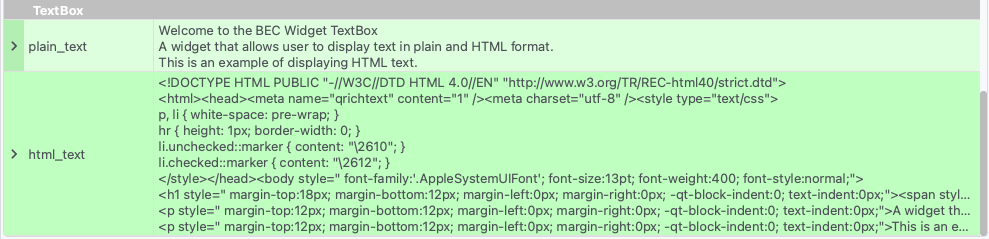
The TextBox widget can be integrated within a BECDockArea or used as an individual component in your application through BEC Designer. The following examples demonstrate how to create and customize the TextBox widget in various scenarios.
Example 1 - Adding Text Box Widget to BECDockArea
In this example, we demonstrate how to add a TextBox widget to a BECDockArea and set the text to be displayed.
# Add a new dock with a TextBox widget
text_box = gui.bec.new().new(widget=gui.available_widgets.TextBox)

# Set the text to display
text_box.set_plain_text("Hello, World!")
Example 2 - Displaying HTML Content
The TextBox widget can also render HTML content. This example shows how to display formatted HTML text.
# Set the text to display as HTML
text_box.set_html_text("<h1>Welcome to BEC Widgets</h1><p>This is an example of displaying <strong>HTML</strong> text.</p>")
- class TextBox(gui_id: str | None = None, config: dict | None = None, object_name: str | None = None, parent=None, **kwargs)[source]#
Bases:
RPCBaseA widget that displays text in plain and HTML format