
BEC Progressbar#
The BECProgressBar widget is a general purpose progress bar that follows the BEC theme and style. It can be embedded in any application to display the progress of a task or operation.
Key Features:
Modern Design: The BEC Progressbar widget is designed with a modern and sleek appearance, following the BEC theme.
Customizable: Users can customize the appearance and behavior of the progress bar to suit their application.
Responsive: The progress bar updates in real-time to reflect the progress of the task or operation.
Screenshot
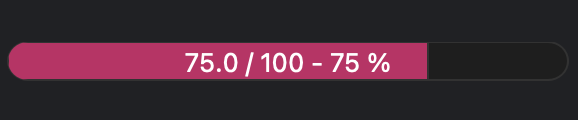

The BECProgressBar widget can be integrated within a BECDockArea or used as an individual component in your application through BEC Designer. Below are examples demonstrating how to create and use the BECProgressBar widget.
Example 1 - Adding BEC Status Box to BECDockArea
In this example, we demonstrate how to add a BECProgressBar widget to a BECDockArea, allowing users to manually set and update the progress states.
# Add a new dock with a BEC Progressbar widget
dock_area = gui.new()
pb = dock_area.new().new(gui.available_widgets.BECProgressBar)
pb.set_value(50)
- class BECProgressBar(gui_id: str | None = None, config: dict | None = None, object_name: str | None = None, parent=None, **kwargs)[source]#
Bases:
RPCBaseA custom progress bar with smooth transitions. The displayed text can be customized using a template.
- property label_template#
The template for the center label. Use $value, $maximum, and $percentage to insert the values.
Examples: >>> progressbar.label_template = “$value / $maximum - $percentage %” >>> progressbar.label_template = “$value / $percentage %”
- set_maximum(maximum: float)[source]#
Set the maximum value of the progress bar.
- Parameters:
maximum (float) – The maximum value.
- set_minimum(minimum: float)[source]#
Set the minimum value of the progress bar.
- Parameters:
minimum (float) – The minimum value.
- set_value(value)[source]#
Set the value of the progress bar.
- Parameters:
value (float) – The value to set.
- property state#
None