
DAP Combobox#
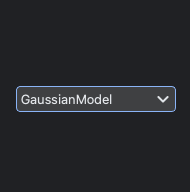
The DAPComboBox is a widget that extends the functionality of a standard QComboBox to allow the user to select a DAP process from all available DAP models.
One of its signals new_dap_config is designed to be connected to the add_dap_curve slot from the Waveform widget to add a DAP process.
Key Features:
Select DAP model: Select one of the available DAP models.
Signal/Slot Interaction: Signal and slots to configure the fit_model, x_axis, and y_axis, and to add a DAP model to the BECWaveformWidget.
LMFit Dialog#
The following signals are emitted by the DAP ComboBox widget:
new_dap_config(str, str, str): Signal to add a DAP model to the BECWaveformWidgetx_axis_updated(str): Signal to emit the current x axisy_axis_updated(str): Signal to emit the current y axisfit_model_updated(str): Signal to emit the current fit model
The following slots are available for the DAP ComboBox widget:
select_x_axis(str): Slot to select the current x axis, emits thex_axis_updatedsignalselect_y_axis(str): Slot to select the current y axis, emits thex_axis_updatedsignalselect_fit_model(str): Slot to select the current fit model, emits thefit_model_updatedsignal. If x and y axis are set, it will also emit thenew_dap_configsignal.