
LMFit Dialog#
The LMFitDialog is a widget that is developed to be used together with the Waveform widget. The Waveform widget allows user to submit a fit request to BEC’s DAP server choosing from a selection of LMFit models to fit monitored data sources. The LMFit Dialog provides an interface to monitor these fits, including statistics and fit parameters in real time.
Within the Waveform widget, the dialog is accessible via the toolbar and will be automatically linked to the current waveform widget. For a more customised use, we can embed the LMFit Dialog in a larger GUI using the BEC Designer. In this case, one has to connect the update_summary_tree slot of the LMFit Dialog to the dap_summary_update signal of the Waveform widget to ensure its functionality.
Key Features:
Fit Summary: Display updates on LMFit DAP processes and fit statistics.
Fit Parameter: Display current fit parameter.
WaveformWidget Integration: Directly connect toWaveformwidget to display fit statistics and parameters.
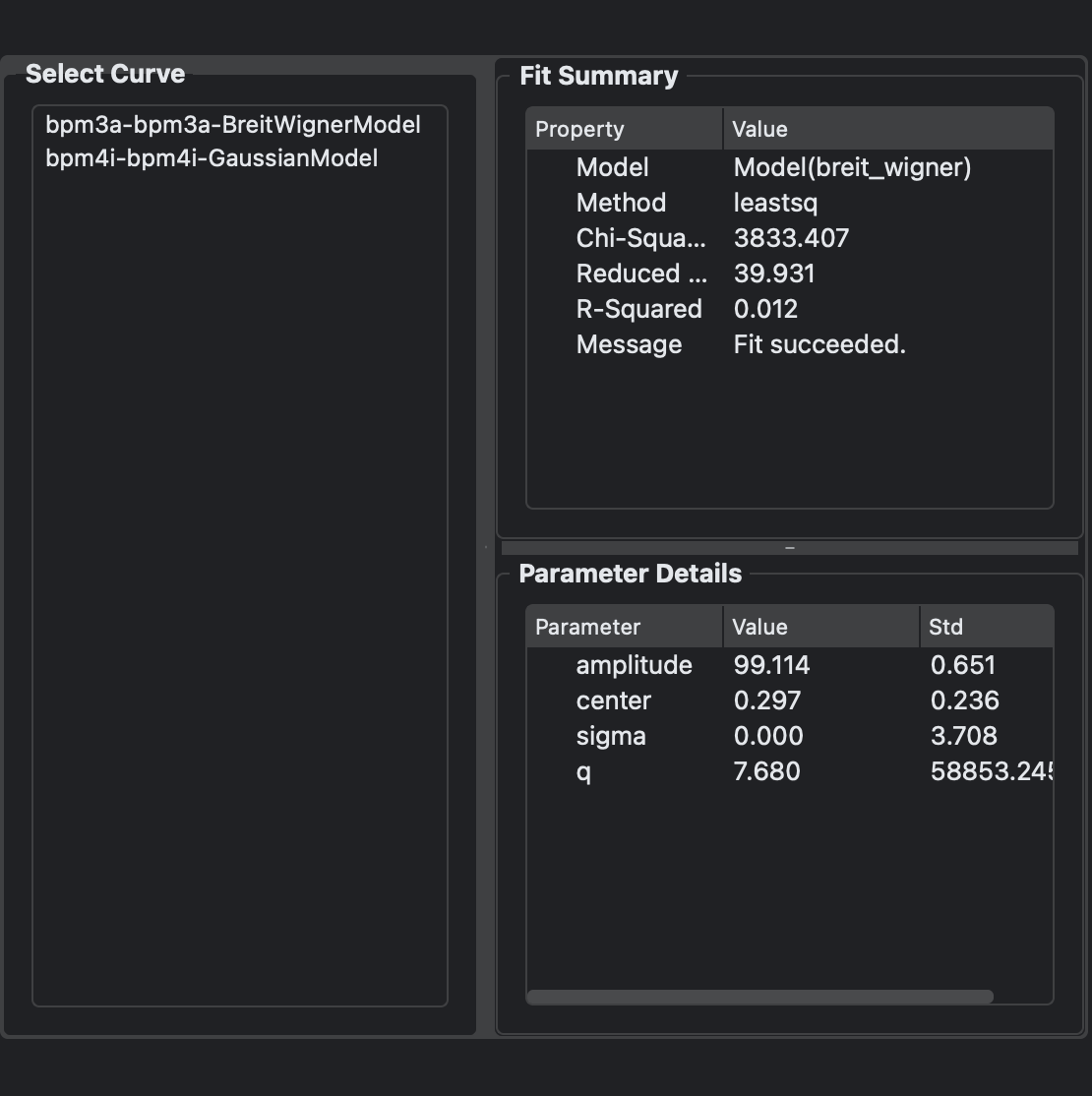
LMFit Dialog#
The LMFit Dialog widget can be connected to a Waveform widget to display fit statistics and parameters from the LMFit DAP process hooked up to the waveform widget. You can use the signal/slot editor from the BEC Designer to connect the dap_summary_update signal of the Waveform widget to the update_summary_tree slot of the LMFit Dialog.
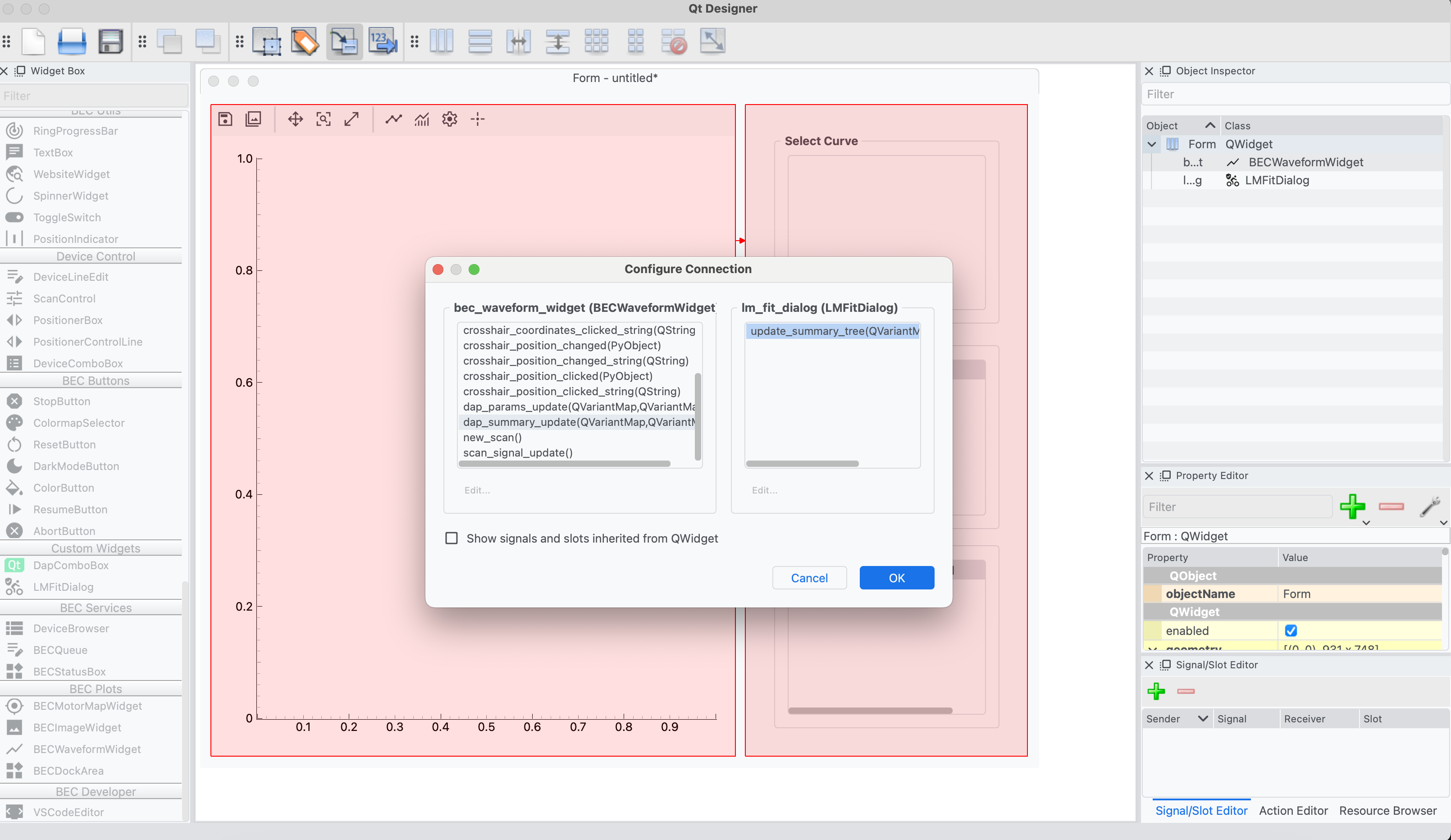
It is also possible to directly connect the dap_summary_update signal of the Waveform widget to the update_summary_tree slot of the LMFit Dialog in Python.
waveform = Waveform(...)
lmfit_dialog = LMFitDialog(...)
waveform.dap_summary_update.connect(lmfit_dialog.update_summary_tree)