
BEC Status Box#
The BECStatusBox widget is designed to monitor the status and health of all running BEC processes. This widget provides a real-time overview of the BEC core services, including DeviceServer, ScanServer, SciHub, ScanBundler, and FileWriter. The top-level display indicates the overall state of the BEC services, while the collapsed view allows users to delve into the status of each individual process. By double-clicking on a specific process, users can access a detailed popup window with live updates of the metrics for that process.
Key Features:
Comprehensive Service Monitoring: Track the state of individual BEC services, including real-time updates on their health and status.
Automatic Service Tracking: Automatically detects and monitors additional clients connecting to the BEC services.
Detailed Metrics: Provides live updates of the metrics for each process, accessible through an interactive popup window.
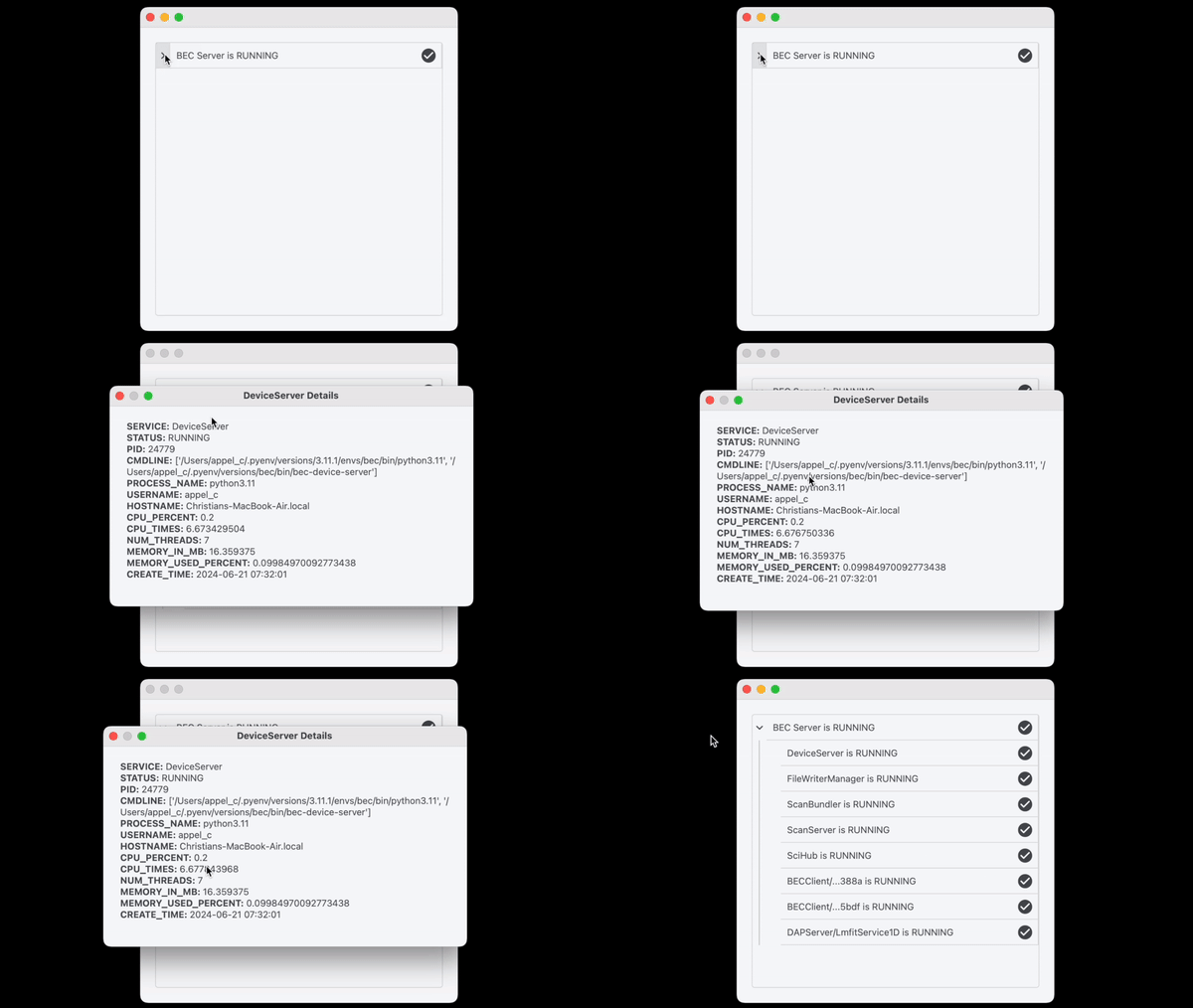
The BECStatusBox widget can be integrated within a BECDockArea or used as an individual component in your application through BEC Designer. Below are examples demonstrating how to create and use the BECStatusBox widget.
Example 1 - Adding BEC Status Box to BECDockArea
In this example, we demonstrate how to add a BECStatusBox widget to a BECDockArea, allowing users to monitor the status of BEC processes directly from the GUI.
# Add a new dock with a BECStatusBox widget
sb = gui.bec.new().new(widget=gui.available_widgets.BECStatusBox)
Hint
Once the BECStatusBox is added, users can interact with it to view the status of individual processes. By expanding the view, you can see the status of each BEC service in detail.
- class BECStatusBox(gui_id: str | None = None, config: dict | None = None, object_name: str | None = None, parent=None, **kwargs)[source]#
Bases:
RPCBaseAn autonomous widget to display the status of BEC services.
- detach()[source]#
Detach the widget from its parent dock widget (if widget is in the dock), making it a floating widget.