
Signal Label widget#
The SignalLabel displays the value of a signal from a device, with optional customization for labels, units, decimal formatting, and signal selection. It is designed for use in BEC (Beamline Experiment Control) GUIs to monitor values which beamline operators might want to keep an eye on, e.g. sample position, flux, hutch state…
Key Features:
Display: Shows the current value of a device signal.
Custom Label/Units: Optionally override the default label and units.
Decimal Formatting: Control the number of decimal places shown.
Signal Selection: (Optional) Button to open a dialog for selecting a device and signal.
Live Updates: Subscribes to device updates and refreshes the display automatically.
The SignalLabel widget can be used inside another widget to build an overall GUI display. For example, to create a display
for the sample position like this:
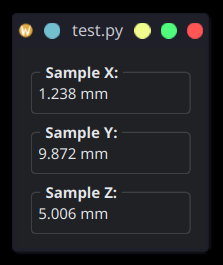
You can simply add three of these signal displays as done here:
import sys

from qtpy.QtWidgets import QApplication, QVBoxLayout, QWidget

from bec_widgets.utils.bec_widget import BECWidget
from bec_widgets.widgets.utility.signal_label.signal_label import SignalLabel


class SamplePositionWidget(BECWidget, QWidget):
    def __init__(self, parent=None):
        super().__init__(parent=parent)
        self.setLayout(QVBoxLayout())
        self.samx_readback = SignalLabel(
            device="samx",
            signal="readback",
            custom_label="Sample X:",
            custom_units="mm",
            show_select_button=False,
            show_default_units=False,
        )
        self.samy_readback = SignalLabel(
            device="samy",
            signal="readback",
            custom_label="Sample Y:",
            custom_units="mm",
            show_select_button=False,
            show_default_units=False,
        )
        self.samz_readback = SignalLabel(
            device="samz",
            signal="readback",
            custom_label="Sample Z:",
            custom_units="mm",
            show_select_button=False,
            show_default_units=False,
        )
        self.layout().addWidget(self.samx_readback)
        self.layout().addWidget(self.samy_readback)
        self.layout().addWidget(self.samz_readback)


if __name__ == "__main__":
    app = QApplication()
    w = SamplePositionWidget()
    w.show()
    sys.exit(app.exec_())
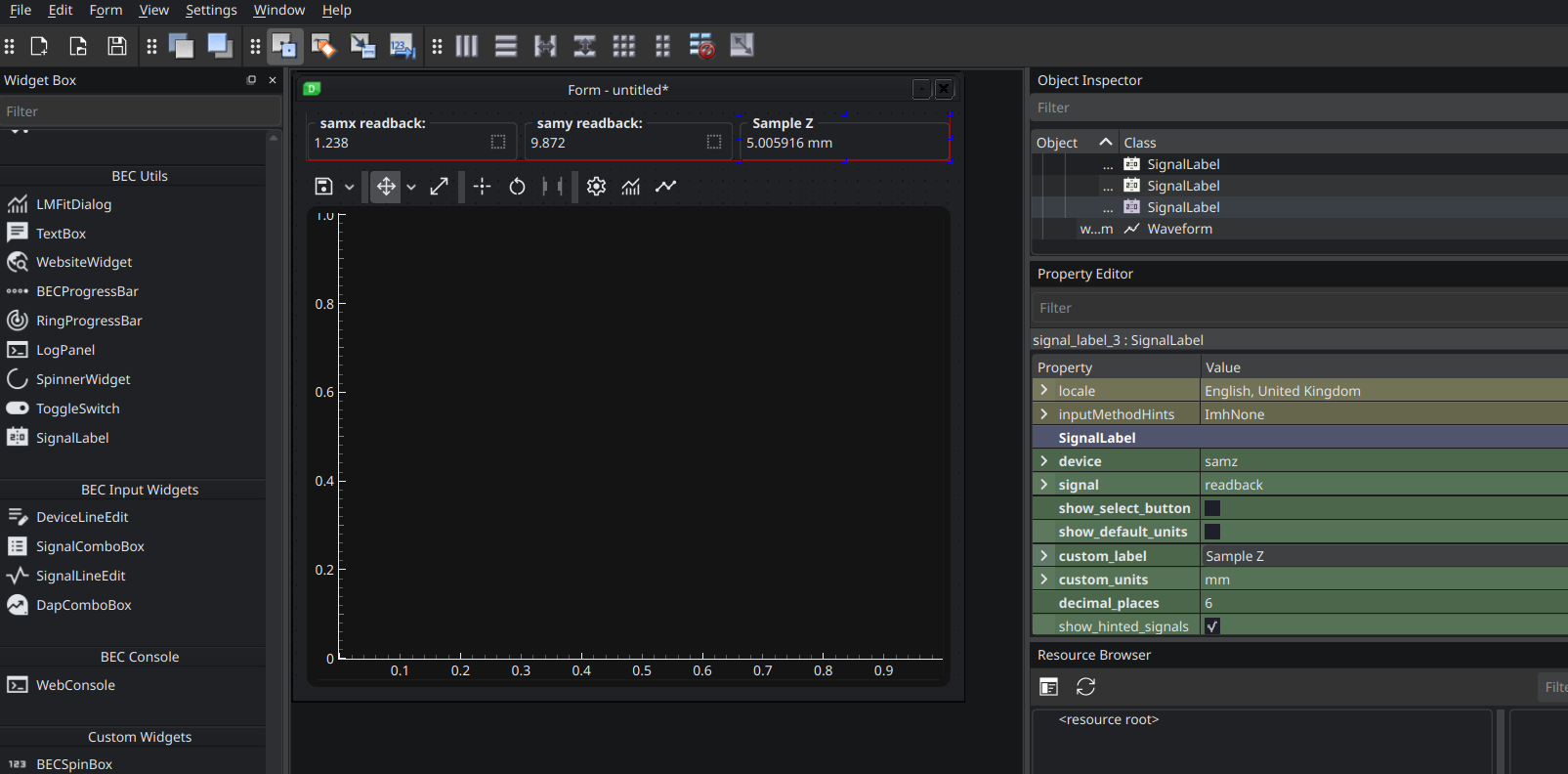
The various properties can also be set when the SignalLabel widget is added to a UI in BEC designer:
- class TextBox(gui_id: str | None = None, config: dict | None = None, object_name: str | None = None, parent=None, **kwargs)[source]#
Bases:
RPCBaseA widget that displays text in plain and HTML format